話題の「パンチくん」に会ってきました。I went to meet the now-famous “Punch-kun.”
pupa1959
1959年生まれのおやじ Old man born in 1959
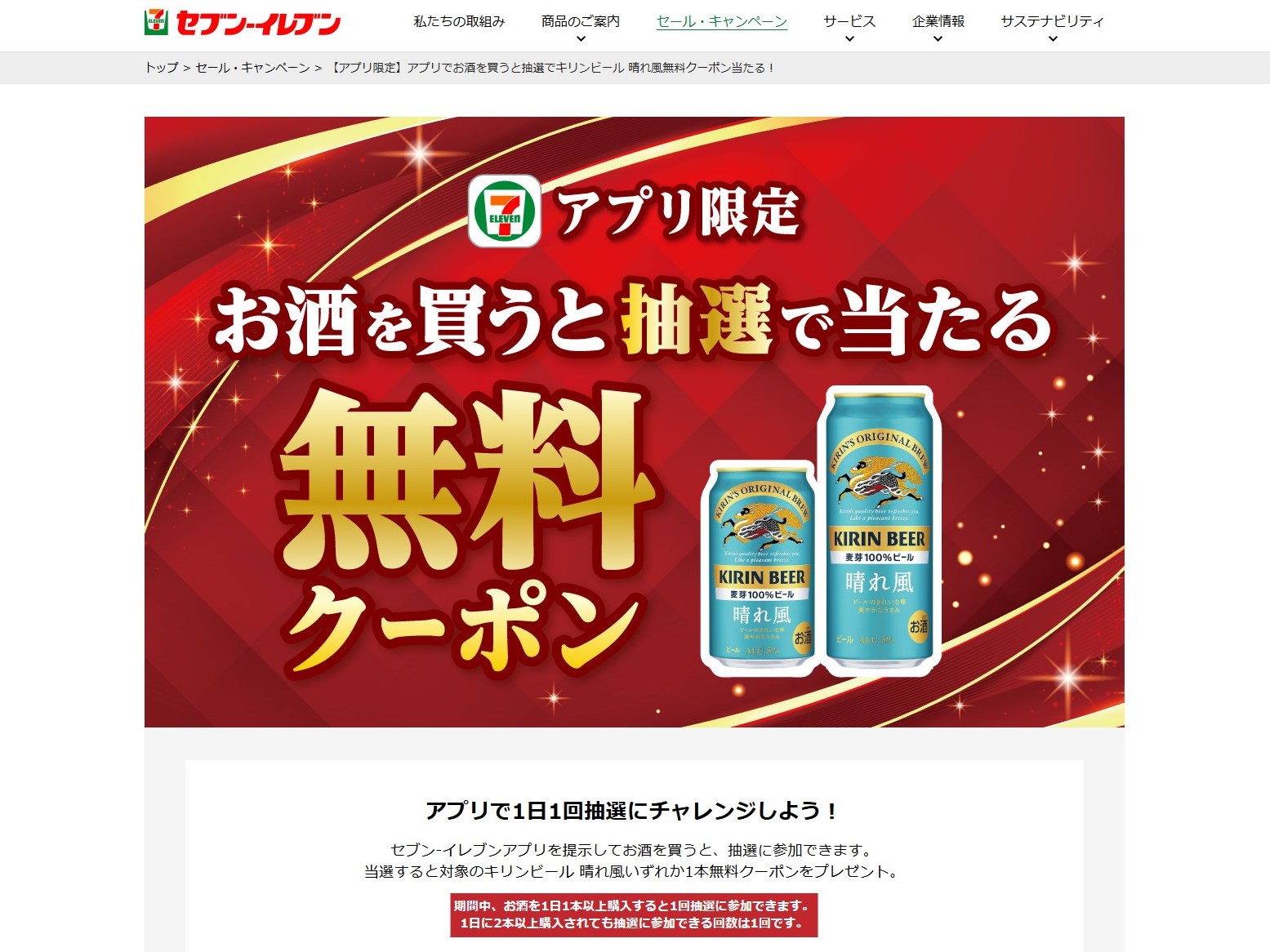
セブンイレブン続きで恐縮ですが、自宅の向かいにセブンイレブンがあります。
最近、食事を作るのが面倒だったりすると、セブンイレブンの弁当などを買ったりします。
またちょっとのどが渇いたりすると、コンビニなどでお茶を買ったりする場面が度々あると思います。
そんな時、コンビニ専用のアプリを持っていると少しお得です。
因みに私が良く利用するセブンイレブンのセブンカフェは、レギュラーサイズのコーヒーが約121円ですが、アプリクーポンを使用して購入すると期間などによりますが、20~50円の割引が受けられます。
また弁当を買った時に買うお茶なども1本20~30円割引してもらえます。
それくらいの割引でめんどくさいと思うかもしれませんが、携帯にアプリを入れてしまえば簡単に割引してくれるので是非試してみて下さい。
特にこれから年金生活を始める我々世代には不可欠ですよ。
今回はアイホンでセブンイレブンアプリを入手する方法を解説します。
下の図を参照して下さい。
Sorry for bringing up 7-Eleven again, but there is a 7-Eleven across the street from my house.
Recently, when I don’t feel like cooking, I buy bento boxes from 7-Eleven.
Also, when you feel a little thirsty, there are probably many times when you buy tea at a convenience store.
In times like these, it can be quite convenient and advantageous to have a convenience store app.
By the way, at Seven Cafe, the Seven-Eleven store I often use, a regular-sized coffee costs about 121 yen, but if you purchase it using an app coupon, you can get a discount of 20 to 50 yen, depending on the period.
You can also get a 20 to 30 yen discount on each bottle of tea you buy when you buy a bento box.
You might think that such a small discount is a hassle, but once you download the app onto your phone, you can easily get the discount, so please give it a try.
This is especially essential for our generation who are just about to retire and start living on pensions.
This time, we will explain how to get the 7-Eleven app on your iPhone.
Please refer to the figure below.
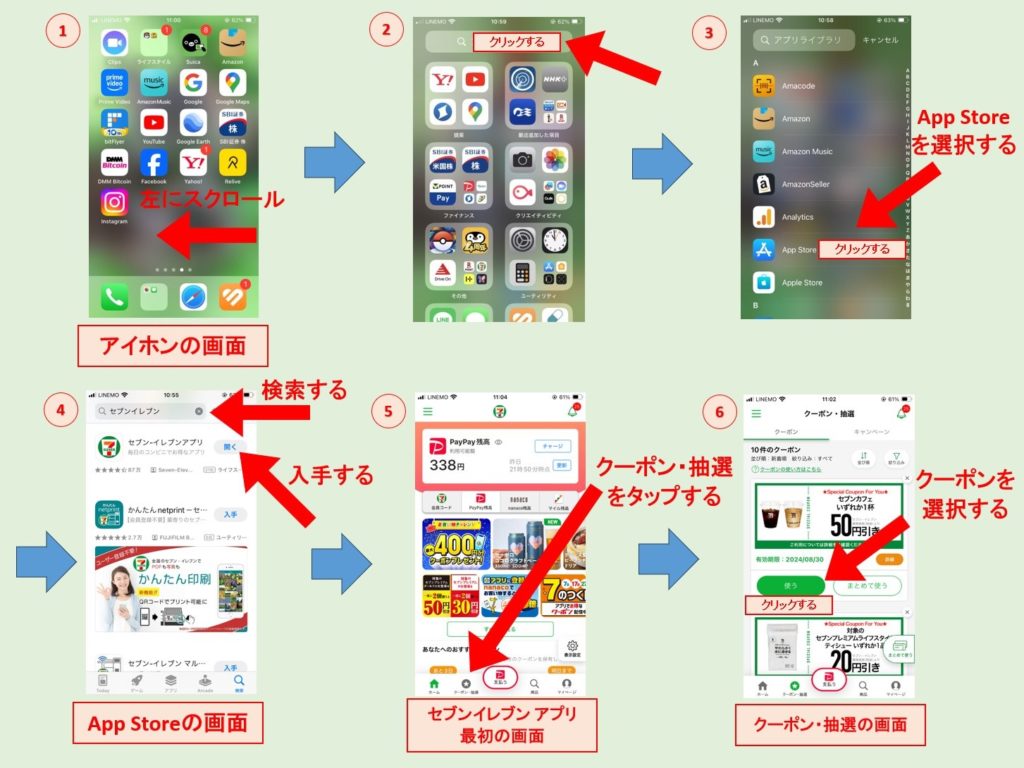
①アイホンの最初の画面を左からスクロールすると②の画面になります。
②🔍マークをクリックすると③の画面になります。
③App Storeをクリックして更に🔍マークからセブンイレブンを検索すると④の画面になります。
④アプリを初めてダウンロードする時は入手と表示されているのでそれをクリックして下さい。
セブンイレブンアプリを入手した以降はアプリをクリックすると⑤の画面になります。
⑤セブンイレブンアプリの最初の画面です。
左下の「クーポン・抽選」をクリックすると⑥の画面になります。
⑥クーポンはこの画面から使用して下さい。
以上でセブンイレブンアプリの導入方法の解説は終わります。
我々世代はスマートホンは使っていても有効活用はハードルが少し高いですよね。
ガラ系が無くなってしまったので、電話かけるだけだけどスマートホンを持っているのではなく、せっかく持っているのだから少しずつ活用しましょう。
① Scroll from the left on the first screen of your iPhone to reach screen ②.
②Click on the 🔍 mark to go to screen ③.
③Click on the App Store and then search for 7-Eleven using the 🔍 mark, and you will see screen ④.
④When you download the app for the first time, it will say Get, so click on it.
Once you have obtained the 7-Eleven app, when you click on the app you will see screen ⑤.
⑤This is the first screen of the 7-Eleven app.
Click on “Coupons/Lottery” at the bottom left to go to screen ⑥.
⑥Please use the coupon from this screen.
This concludes the explanation of how to install the 7-Eleven app.
Even though our generation uses smartphones, it’s still a bit of a hurdle to make effective use of them.
Since the Gala series is no longer available, I don’t just have a smartphone to make phone calls, but since I have one, I should make use of it little by little.