血圧が高めのになったので…
pupa1959
1959年生まれのおやじ Old man born in 1959
こんにちは。
AIと言う言葉をやたらと聞く昨今ですが、AIを活用していますか?
「そんなの関係ないや!」「そんなのなくても十分だ!」と思った人も居るかと思います。
そこで今回は「おじさんのAI活用術」について少し触れたいと思います。
AIはこれからの生活に切り離すことのできない存在になりつつあります。
せっかくこの時代に生きているのだから少しは使ってみましょう。
AIってなに?
AIは「Artificial Intelligence(人工知能)」の略で、人間のように考えたり、学習したり、判断したりする力をコンピューターに持たせる技術です。
つまり平たく言うと、AIは人工知能を持ったコンピューターです。
「ヘイ!Siri!」で有名なSiriはアップル社のAIです。
他にもAmazonのアレクサは、AIを搭載したスピーカーです。
そして今回紹介するのはWeb上で簡単に使える「Copilot(コパイロット)」です。
「Copilot」はMicrosoftが開発したAIで、Microsoft Edge(マイクロソフトエッジ)や、BingのCopilotアイコンからアクセスできます。
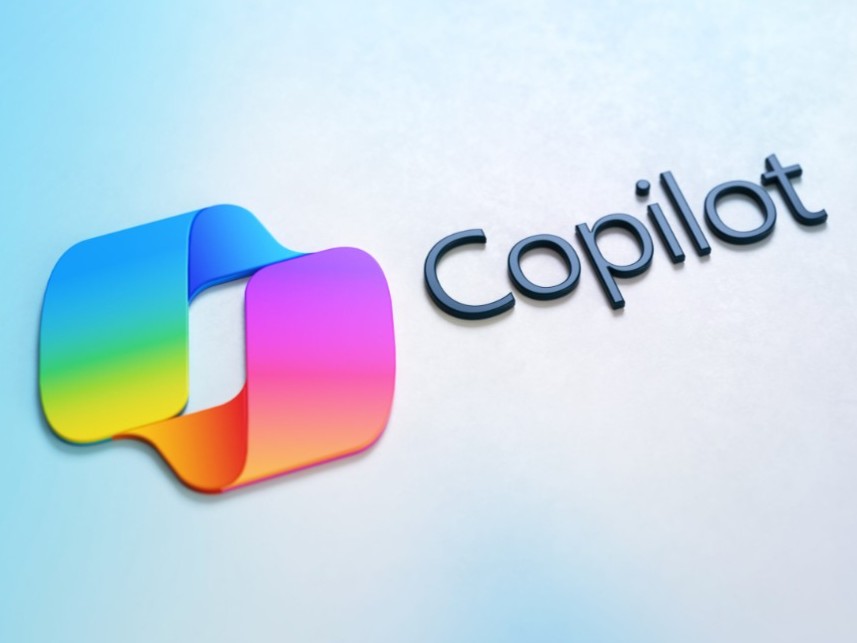
Copilotアイコンは下記の形をしています。

「Copilot」は簡単なチャットならそのまま使えますが、Microsoftアカウント(ID)でログインして使うと、会話履歴の保存やOutlookなど他のMicrosoftサービスと連携することができるようです。
私が実際に「Copilot」を使用した事例としては下記の例があります。
・あいさつ文作成
・交通案内(沖縄に行くフェリーを教えて下さい。)
上記の検索をすると、下記のような答えが帰って着ました。
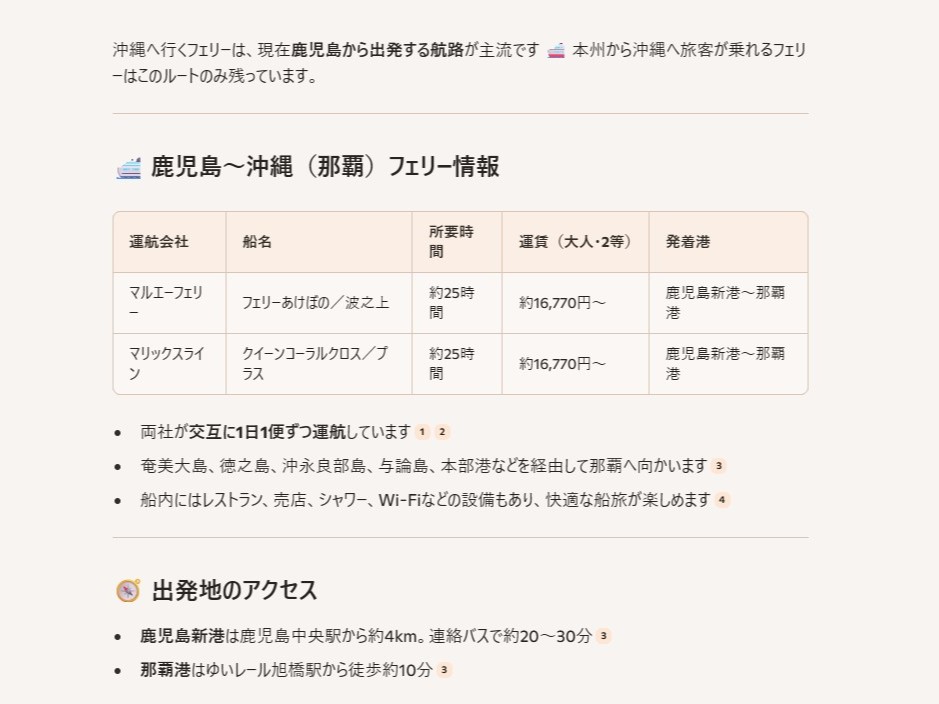
私はバイクでよくツーリングに行くので、そこに行く方法や、お勧めのスポットや宿泊施設などの情報を「Copilot」から得ています。
条件を設定したり、自分が知りたいことを具体的に質問すると、更に精度の高い答えが帰って着ます。
その他にも企業の検索(水素関連企業を教えて下さい。)などをすると興味深い投資情報を教えてくれますよ。
とにかくとても面白いので、一度使ってみて下さい。
因みのこの文章の英訳はCopilotに手伝って頂きました。
Hello Everyone.
These days, we hear the word “AI” everywhere… but are you actually using it?
Some of you might be thinking, “That’s not for me!” or “I’ve gotten by just fine without it!”
That’s why today, I’d like to share a bit about “How Us Older Folks Can Use AI”.
AI is rapidly becoming something we can’t separate from modern life.
Since we’re lucky enough to live in this era, why not try using it a little?
So, What Is AI?
“AI” stands for Artificial Intelligence—technology that gives computers the ability to think, learn, and make decisions like humans do.
In simple terms, AI is a computer with a smart brain.
For example:
Siri (from Apple) responds when you say “Hey Siri!”
Alexa (from Amazon) is a smart speaker powered by AI
And today, I want to introduce a very easy-to-use AI that works right from the web: Copilot.
What Is Copilot?
Copilot is an AI developed by Microsoft.
You can access it via Microsoft Edge or by clicking the Copilot icon on Bing.
You can use Copilot for simple chats without logging in—but if you sign in with your Microsoft account, you’ll be able to save your conversation history and link it with other services like Outlook.
How I Use Copilot.
Here are some real examples of how I’ve used Copilot:
Creating greeting messages
Getting travel directions (e.g., “Tell me about ferries to Okinawa”)
It gave me clear answers like this:
I often go touring by motorcycle, and Copilot helps me find the best routes, recommend spots, and even locate nearby accommodations.
By setting specific conditions and asking clear questions, I get highly accurate answers.
It also gives me interesting insights when I search for things like “hydrogen-related companies”—very useful for investment research!
In Short…
Copilot is fascinating and incredibly helpful—I highly recommend you give it a try!
By the way, Copilot helped with this Japanese-to-English translation.

Amazonのアソシエイトとして、当メディアは適格販売により収入を得ています。
As an Amazon Associate, we earn income from qualifying sales.